

The Platform API answers one question, for any pair of countries: what does a traveller holding this passport need in order to enter that country? It is the same data the World of Regions site runs on — entry status, accepted documents, passport validity, vaccinations, insurance, proof of funds, rules for minors and the traveller's nearest embassy — served as JSON to your own booking system, agent desktop or website.
It is read-only. There is nothing to write, nothing to reconcile and no state to keep in step: you ask a question when you need the answer, and cache it for as long as suits you.
- Base URL
- world-of-regions.com/api
- Auth
- apikey header
- Endpoints
- 5 · GET only
- Billed
- per 1,000 requests
Authentication
Every request carries an API key in a header. There is no OAuth flow, no token endpoint and nothing to refresh: a key is a long-lived credential you create in the admin panel and keep on your server.
The apikey header
Send the key as apikey. The name apitoken is accepted as an alias for the same header, so an
integration written against the older name keeps working — but prefer apikey in new code.
curl -H "apikey: YOUR_KEY" \
  "https://world-of-regions.com/api/External/TravelInformationConfiguration?query=%7B%22language%22%3A%22EN%22%7D"
Keys are created in the admin panel under API Configurator, which is also where you switch API access on for your organisation. A key is shown in full when it is created and can be copied from that screen afterwards; treat it the way you would a password.
Which domains a key may be called from
A key can be restricted to a list of domains — up to five. When that list is set, every request
must arrive with an Origin or a Referer naming one of them.
Two details decide whether this control does what you expect:
- Only
OriginandRefererare read. The request'sHostheader is deliberately ignored, becauseHostis our hostname rather than the caller's — a request that sent neither of the other two would otherwise match the allow-list simply by omitting a header. - A request that carries neither is refused, not waved through, whenever a key has a domain list. A caller with no verifiable origin cannot satisfy the list, and allowing it would make the list decorative.
Read the control for what it is. Origin and Referer are set by browsers and cannot be forged
by page JavaScript, so a domain list genuinely stops a third-party site embedding your key in
their front end. It is not protection against a stolen key used from a server, which can send
any header it likes. A key with no domain list works from anywhere — the right choice for a
server-to-server integration, and the wrong one for a key that ships to a browser.
When a request is refused
| Status | Message | What it means |
|---|---|---|
401 |
Api key is invalid |
No key, an unknown key, or a domain-restricted key called from a domain that is not on its list. |
401 |
This API key is restricted to specific domains; the request carried no Origin or Referer |
The key has a domain list and the request gave nothing to match it against. |
402 |
Insufficient balance — top up to continue using the API |
The organisation's prepaid balance is spent. Top up in the panel and calls resume immediately. |
403 |
API access is disabled for this organisation |
The key is valid, but API access is switched off for the organisation that owns it. |
Every refusal is a JSON object with a single message field. Note that the two 401s are
different problems with the same status: read the message before assuming a key is wrong.
Usage is recorded, and appears a few minutes later
Calls are counted per key and flushed every five minutes, so the first requests from a new integration will not appear in the usage report the instant you make them. The count is what your invoice is built from — see Usage and billing.
Endpoints
Five endpoints, all GET, all under https://world-of-regions.com/api/External/. Each one takes
its arguments the same way, which is the first thing to get right.
One query envelope, not query parameters
Arguments arrive as a single query parameter holding URL-encoded JSON — not as separate
query-string parameters. This is the same envelope every other reader in the service uses.
# The JSON: {"language":"EN","originCountryCode":"PL","destinationCountryCode":"DE"}
curl -H "apikey: YOUR_KEY" \
  "https://world-of-regions.com/api/External/TravelInformation?query=%7B%22language%22%3A%22EN%22%2C%22originCountryCode%22%3A%22PL%22%2C%22destinationCountryCode%22%3A%22DE%22%7D"
In practice you build the JSON and let your HTTP client encode it:
const query = JSON.stringify({
    language: 'EN',
    originCountryCode: 'PL',
    destinationCountryCode: 'DE',
})

const response = await fetch(
    `https://world-of-regions.com/api/External/TravelInformation?query=${encodeURIComponent(query)}`,
    {headers: {apikey: process.env.WOR_API_KEY}},
)
A request whose query is missing, is not valid JSON, or omits a required field is answered with
a malformed-query message rather than an empty result. Unknown fields in the envelope are ignored,
so sending one object shape to several endpoints is fine.
The five endpoints
| Endpoint | Required fields | Answers |
|---|---|---|
TravelInformation |
language, originCountryCode, destinationCountryCode |
The entry requirements for one country pair. |
TravelBriefing |
language, originCountryCode, destinationCountryCode |
The same answer under visaData, plus the identity of both countries — so a trip header renders without a second call. |
TravelInformationCountryList |
language |
The countries you may ask about, grouped by continent, with the nationalities that have answers. |
TravelInformationConfiguration |
language |
The field configuration behind the answer: which fields exist, and the options each one can take. |
TravelInformationTranslatedList |
language (countryId narrows it) |
Every visa record for a nationality, translated. |
The call you will make most
TravelInformation is the one nearly every integration is built on: one passport, one
destination, one answer.
| Field | Type | Description |
|---|---|---|
| language | stringRequired | Language of the labels and translated names in the answer. It does not change which pairs exist. |
| originCountryCode | stringRequired | The traveller's passport. Use an objectId from TravelInformationCountryList. |
| destinationCountryCode | stringRequired | Where they are going, addressed the same way. |
Country codes and languages
Take country codes from TravelInformationCountryList rather than assuming a standard. Each entry
carries an objectId, and that value is what originCountryCode, destinationCountryCode and
countryId expect. The same response tells you which nationalities are answerable at all —
availableNationalities — so a picker built from it can never offer a pair with no answer behind
it.
language selects the language of the labels and translated names in the response, not which
pairs exist.
What an answer looks like
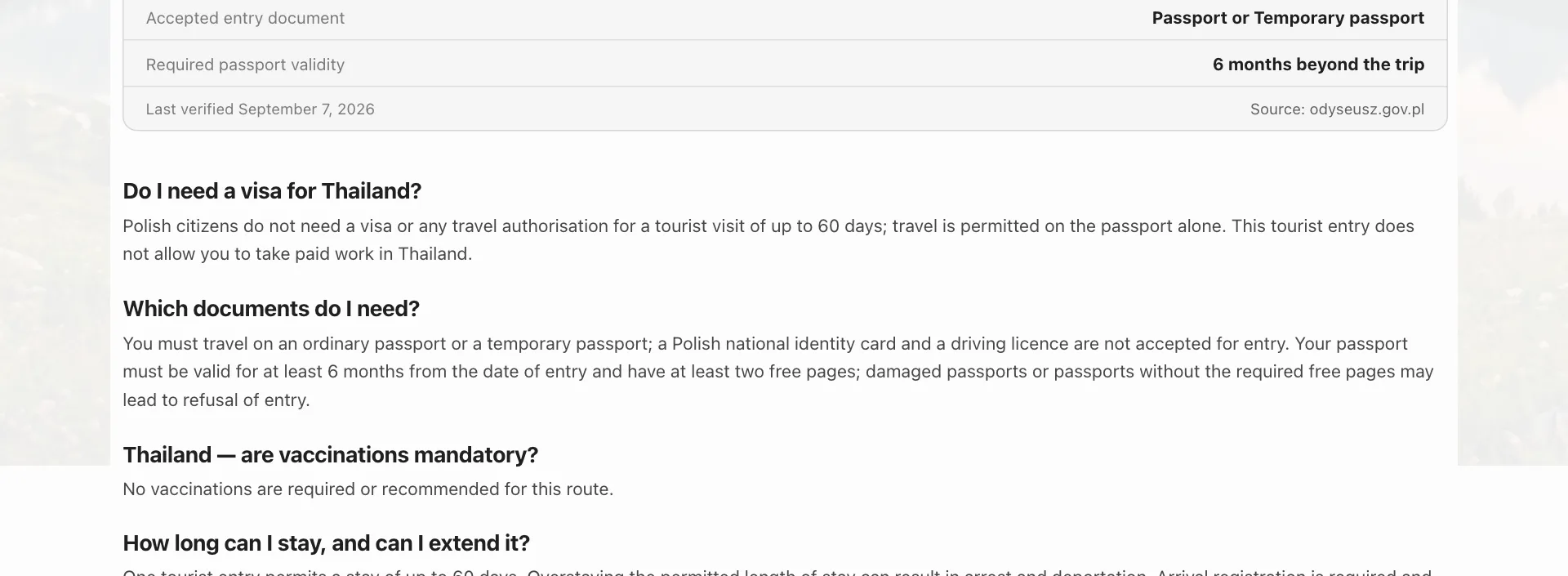
The public travel-requirements page is built from this endpoint, so it doubles as a preview of the data: everything below is one TravelInformation response, laid out.
{
  "isVisaFree": true,
  "entryDocumentType": ["passport", "identityCard"],
  "entryPermissionType": "",
  "permissionValidity": 0,
  "visaRequiredAfterDays": 90,
  "passportValidity": 0,
  "vaccinationsSuggested": [],
  "vaccinationsMandatory": [],
  "insuranceStatus": "suggested",
  "financialGuarantee": ["none"],
  "minorTraveling": ["letterOfParentalConsent"],
  "visaIssuanceLocation": [],
  "informationBasedOnWebsite": "https://...",
  "embassy": {
    "url": "https://...",
    "nearestCountry": {"name": "Germany", "code": "DE"}
  }
}
Two fields are worth reading carefully. informationBasedOnWebsite is the official source the
record was written from — quote it, or link it, wherever you show the answer to a traveller.
And embassy.nearestCountry may name a country other than the destination: where the destination
has no embassy for that nationality, the answer points at the nearest one that does.
Coded values are not display text. entryDocumentType, financialGuarantee,
minorTraveling and their neighbours are stable codes; the human labels for them come from
TravelInformationConfiguration in the language you asked for. Resolve them through that
response rather than deriving a label from the code, and a new option added on our side appears in
your UI without a release on yours.